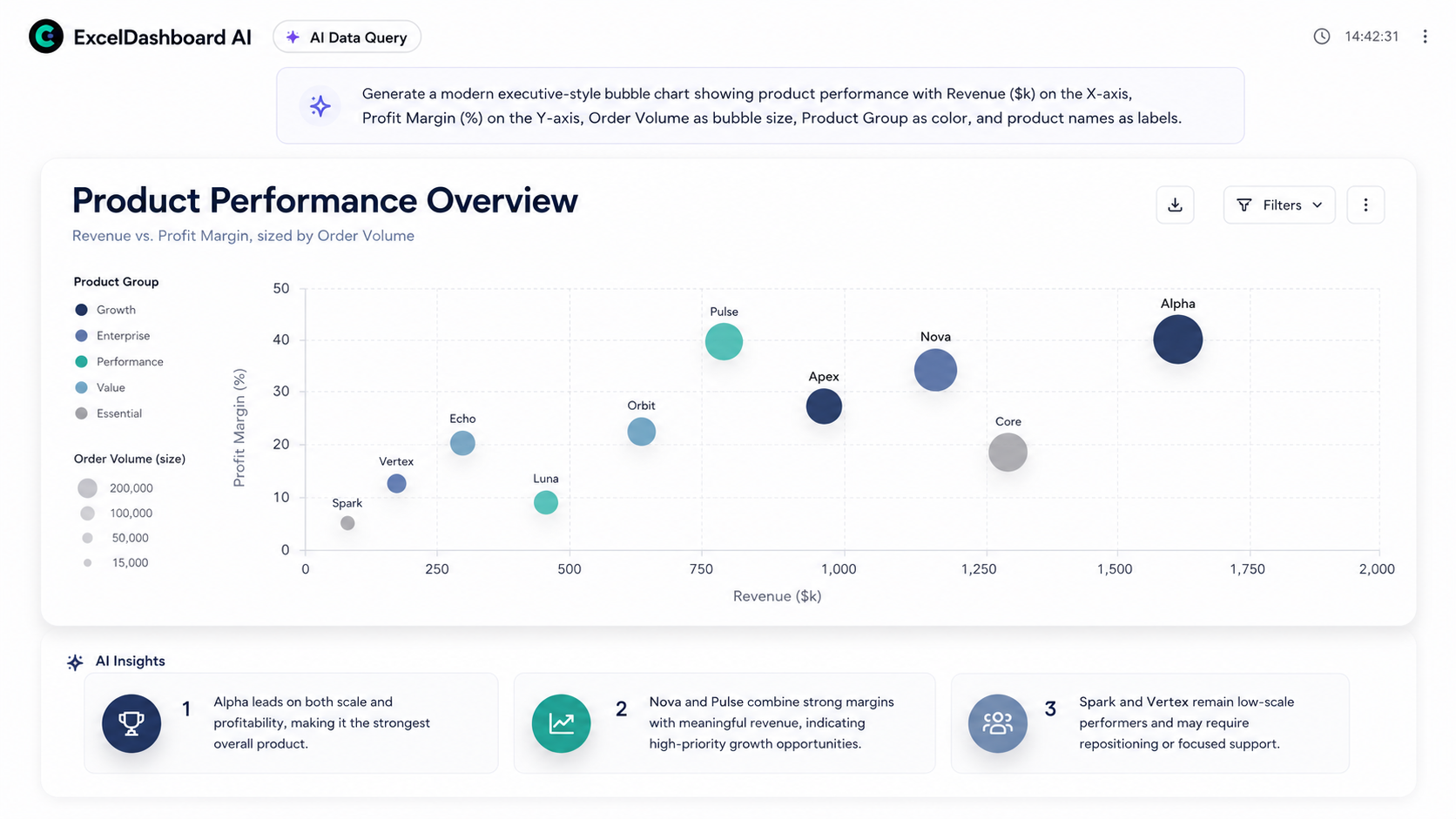
自動レポート作成ソフト顧客に届けられる成果物を。
Excel、CSV、テキスト、画像、Webリサーチから顧客向けレポートとダッシュボードを作成し、編集可能なPowerPoint・Word・Excelで出力します。



MCP & SKILLS
Connect MCP. Deliver reports in your Agent.
ExcelDashboard AI provides an MCP server and a report Skill. Your Agent analyzes and verifies data, then creates visual reports, tracks progress, and gets live previews. First connection requires user sign-in and workspace selection.
Connection information for Agents
Production MCP endpoint
https://api.exceldashboard.ai/mcp
Streamable HTTP · OAuth · create_report / get_report
Agents: read https://www.exceldashboard.ai/mcp.md for the complete English Skill, outline format, and client setup. Reading documentation does not configure MCP or complete OAuth.
Setup instruction for your Agent
Read https://www.exceldashboard.ai/mcp.md, including the full report Skill and outline reference. Use this client's supported workflow to configure ExcelDashboard AI MCP at https://api.exceldashboard.ai/mcp with Streamable HTTP. Guide me through browser OAuth and workspace selection. Install the report Skill from https://smithery.ai/skills/exceldashboard-ai/exceldashboard-report if supported; otherwise follow its complete instructions in this conversation. Verify the current session discovers create_report and get_report. Do not create a report. If this client cannot configure a custom MCP connection, explain that limitation and give its supported setup steps; do not claim a connection from reading the website.
ひとつのAIワークスペース
データを答えに変える3つの方法。
データをアップロードするか、質問から開始。AIが最終成果物まで作成します。
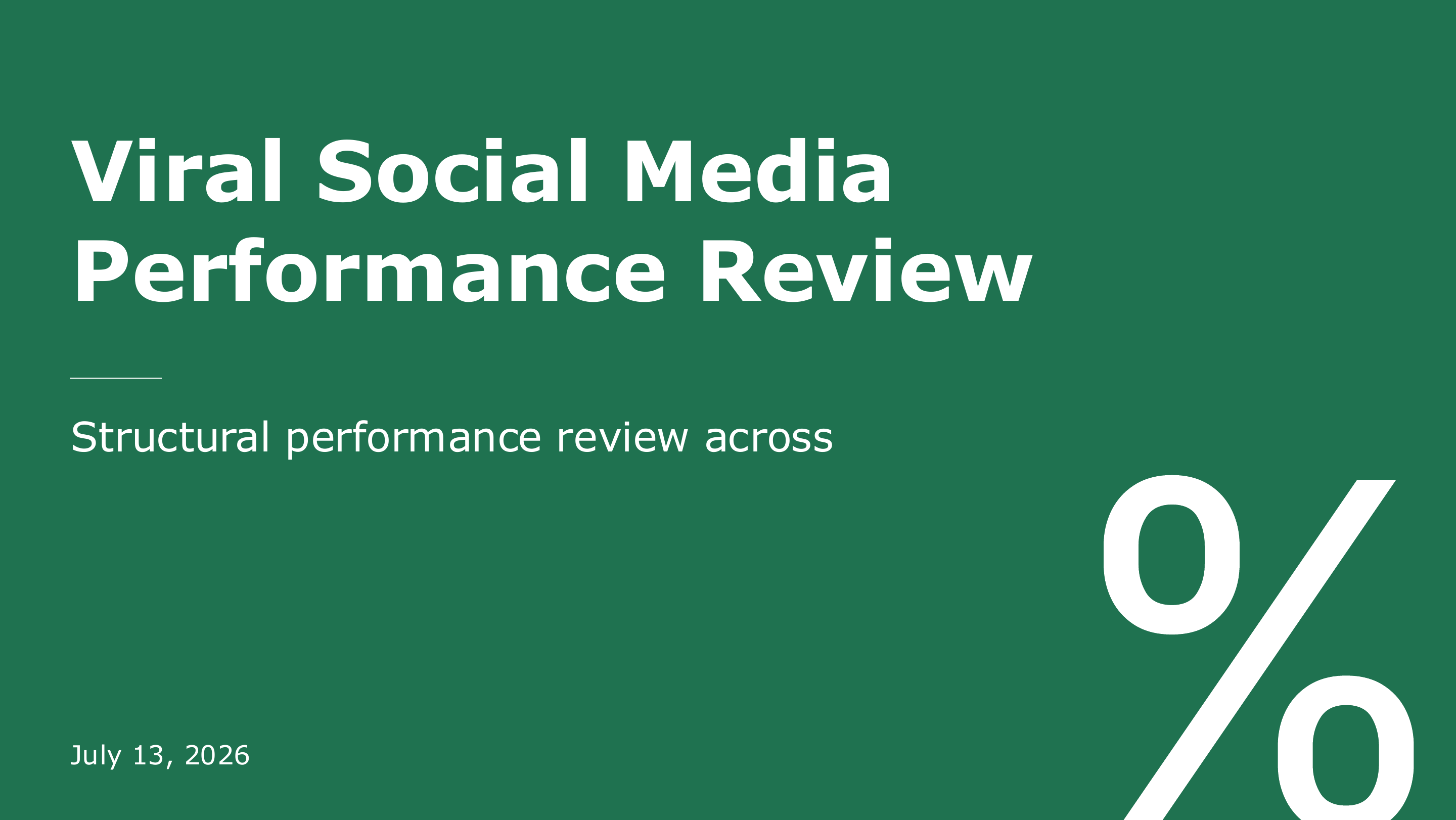
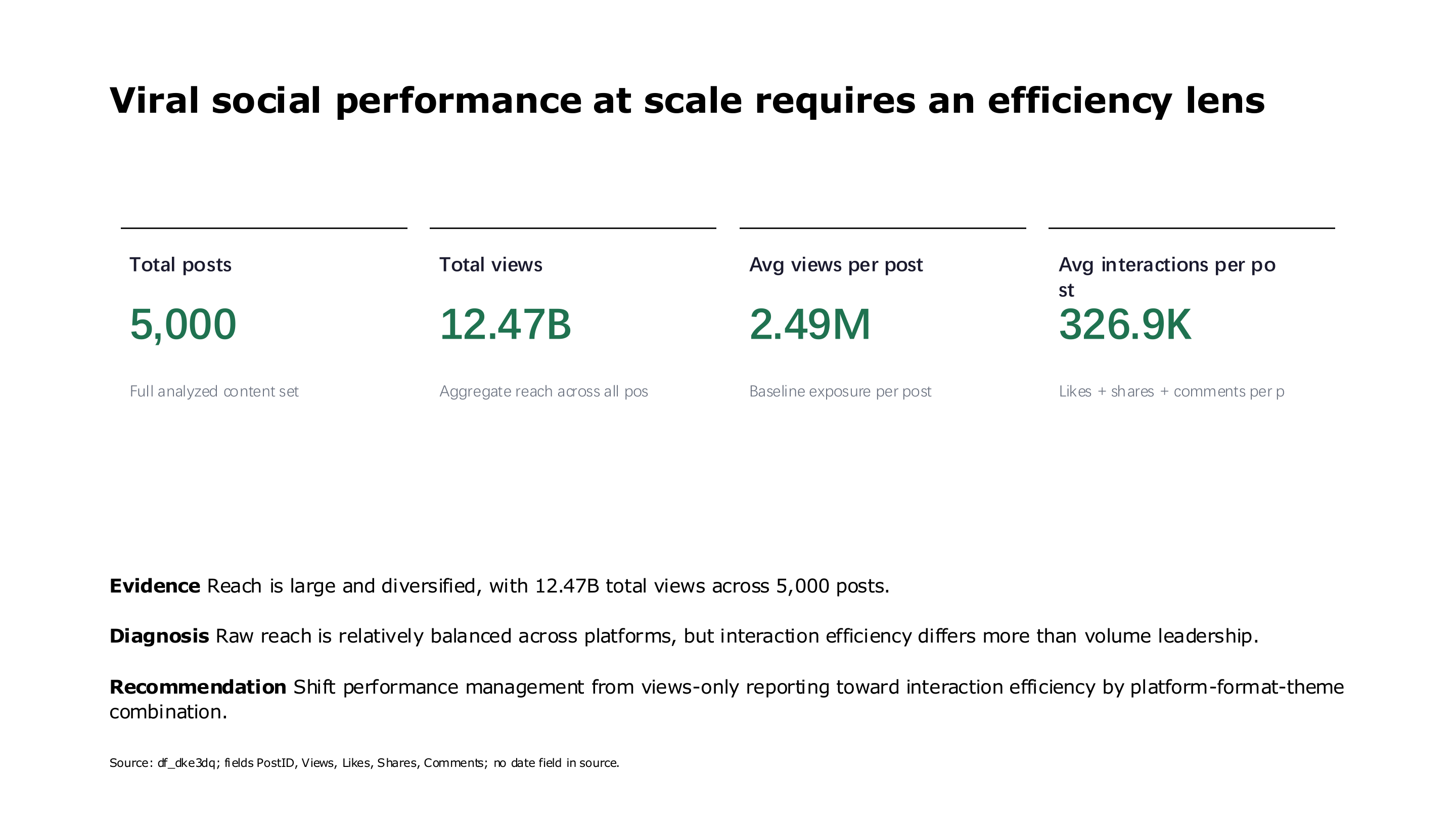
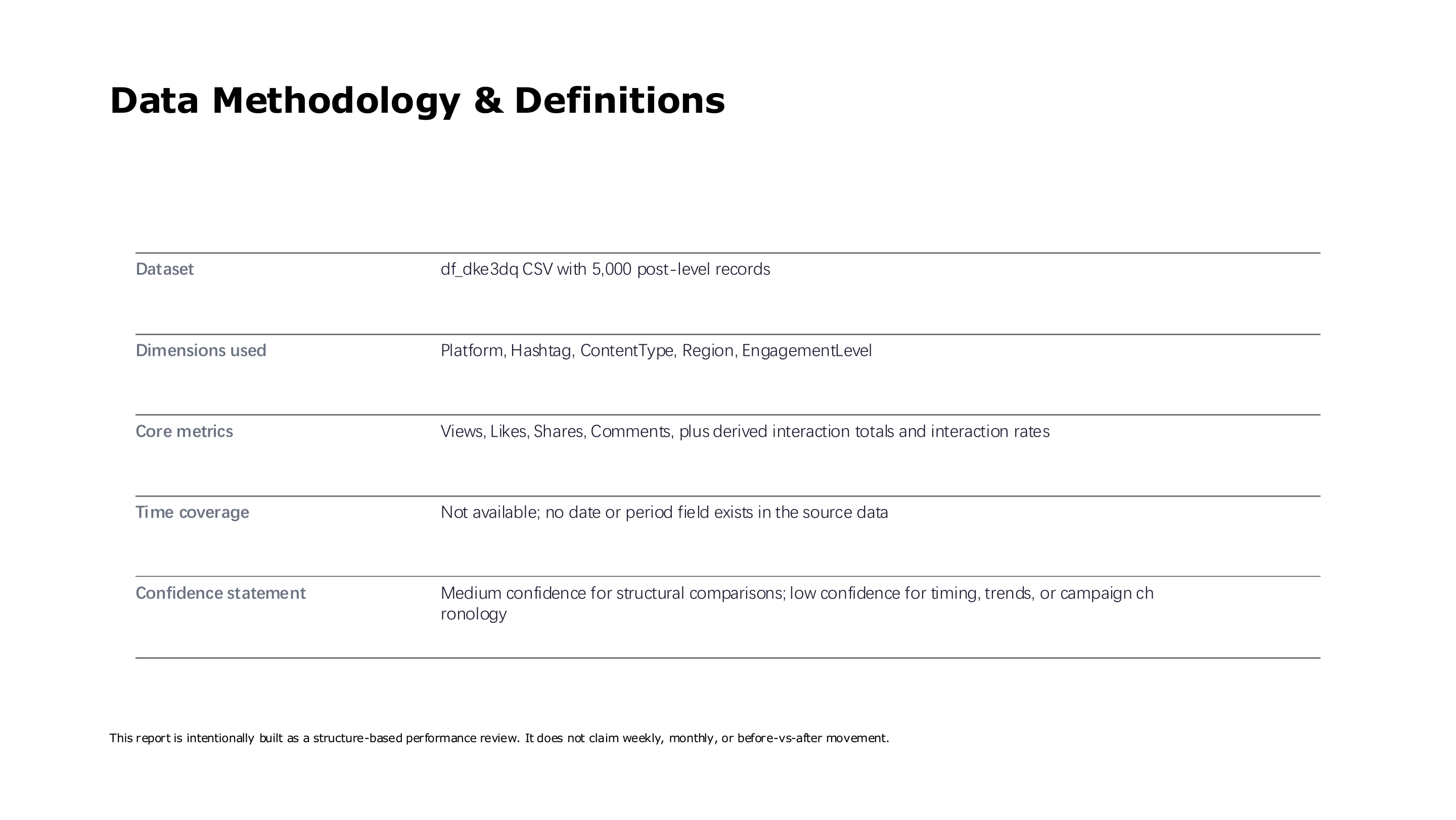
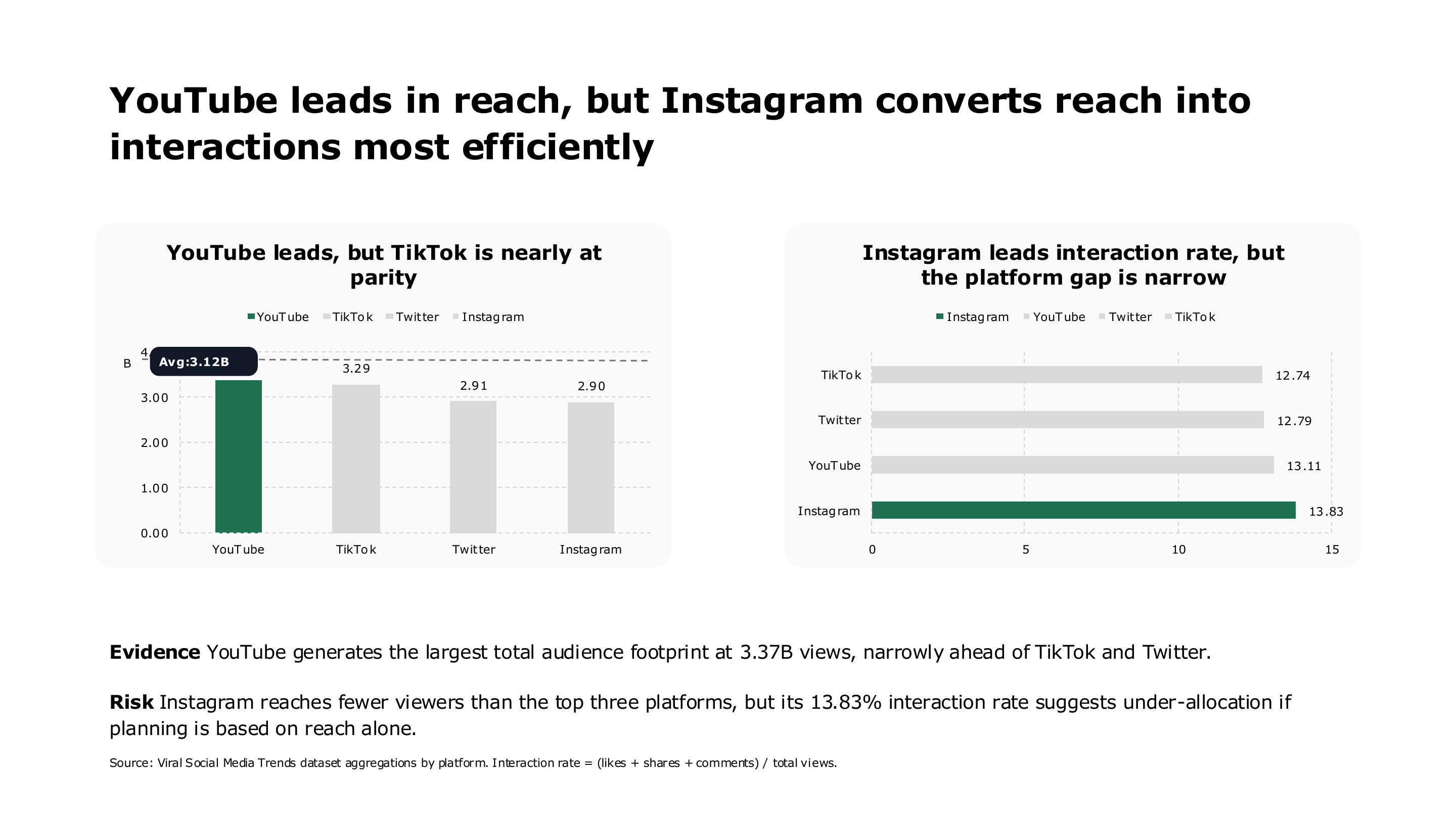
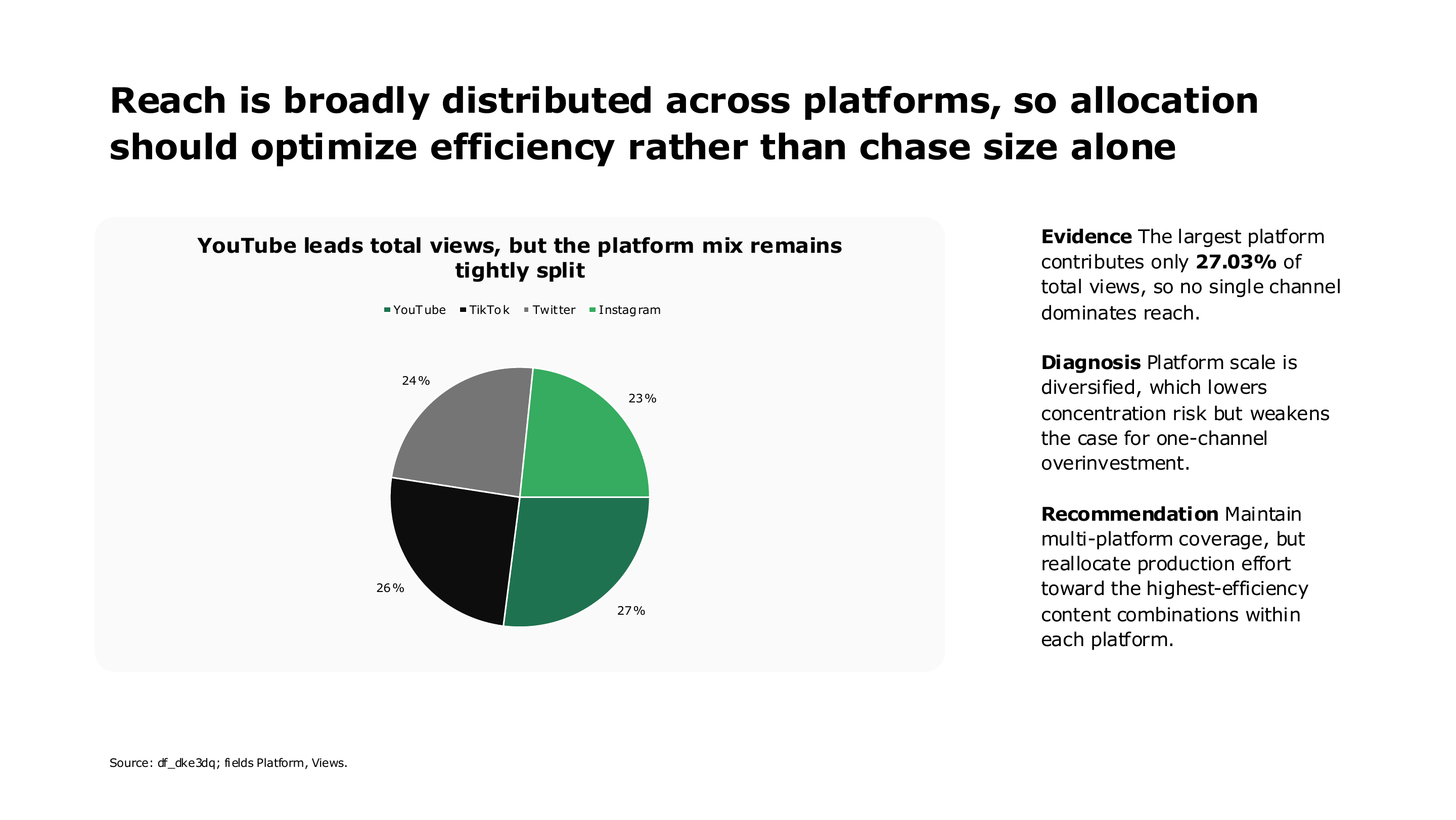
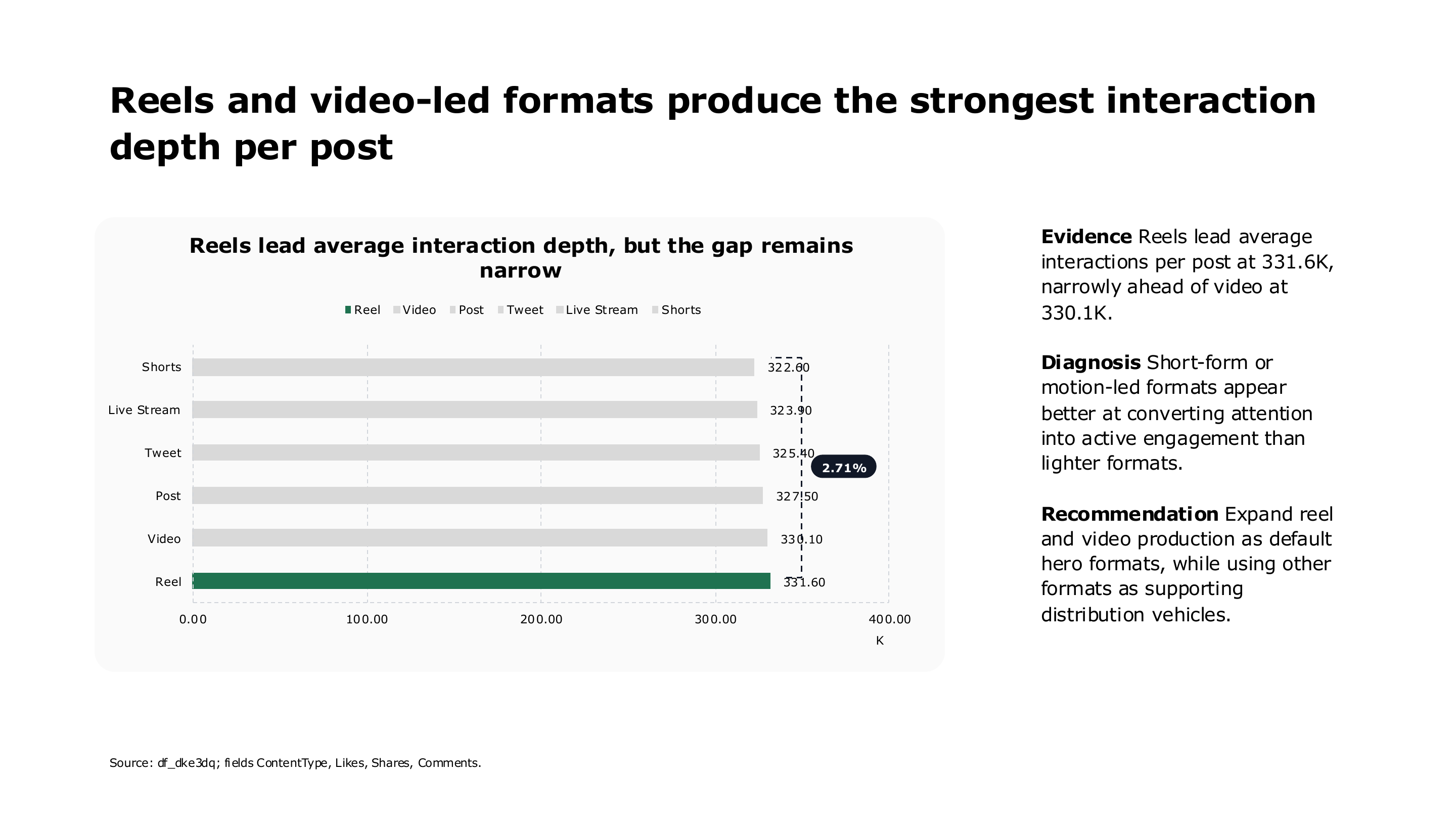
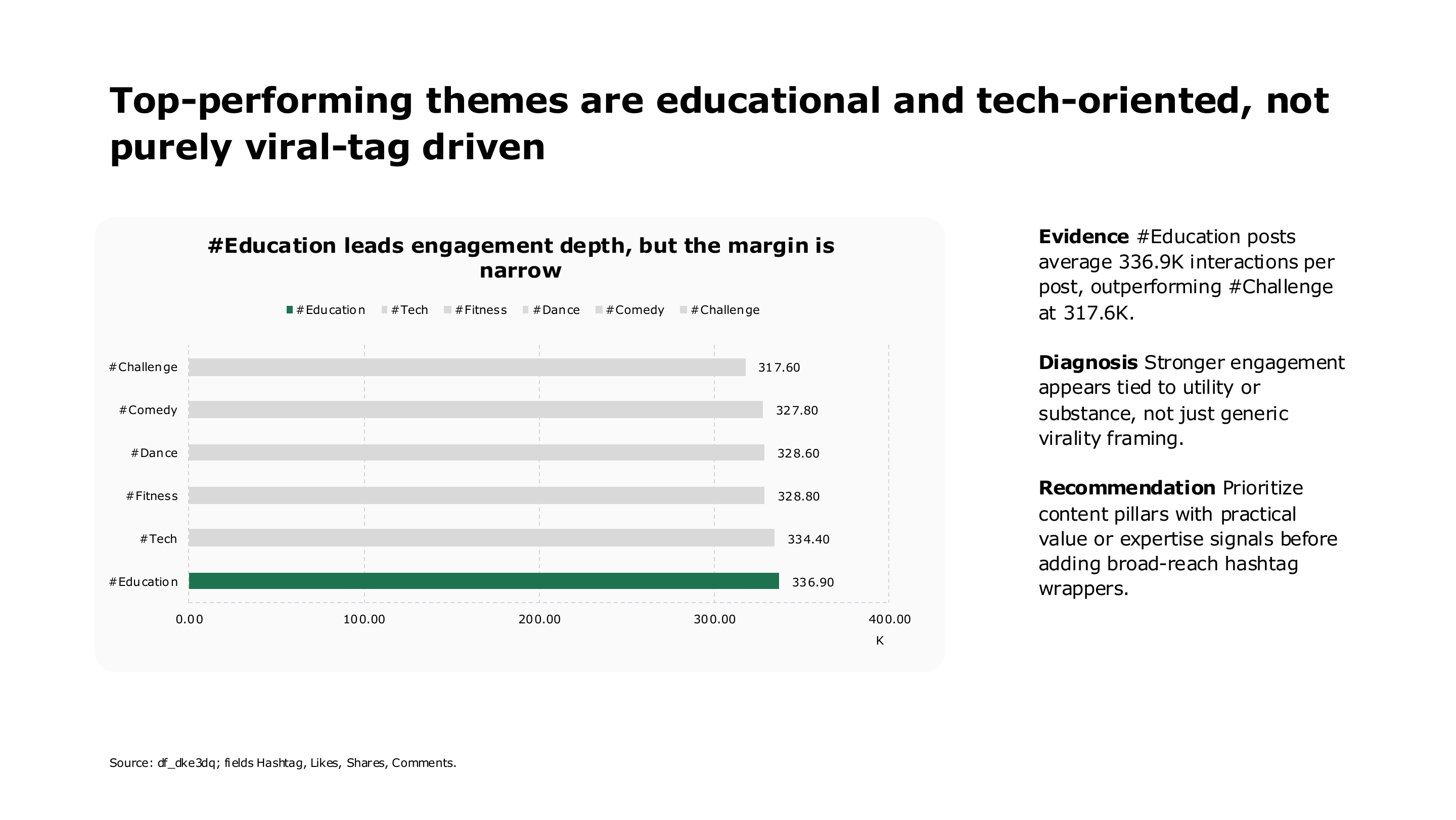
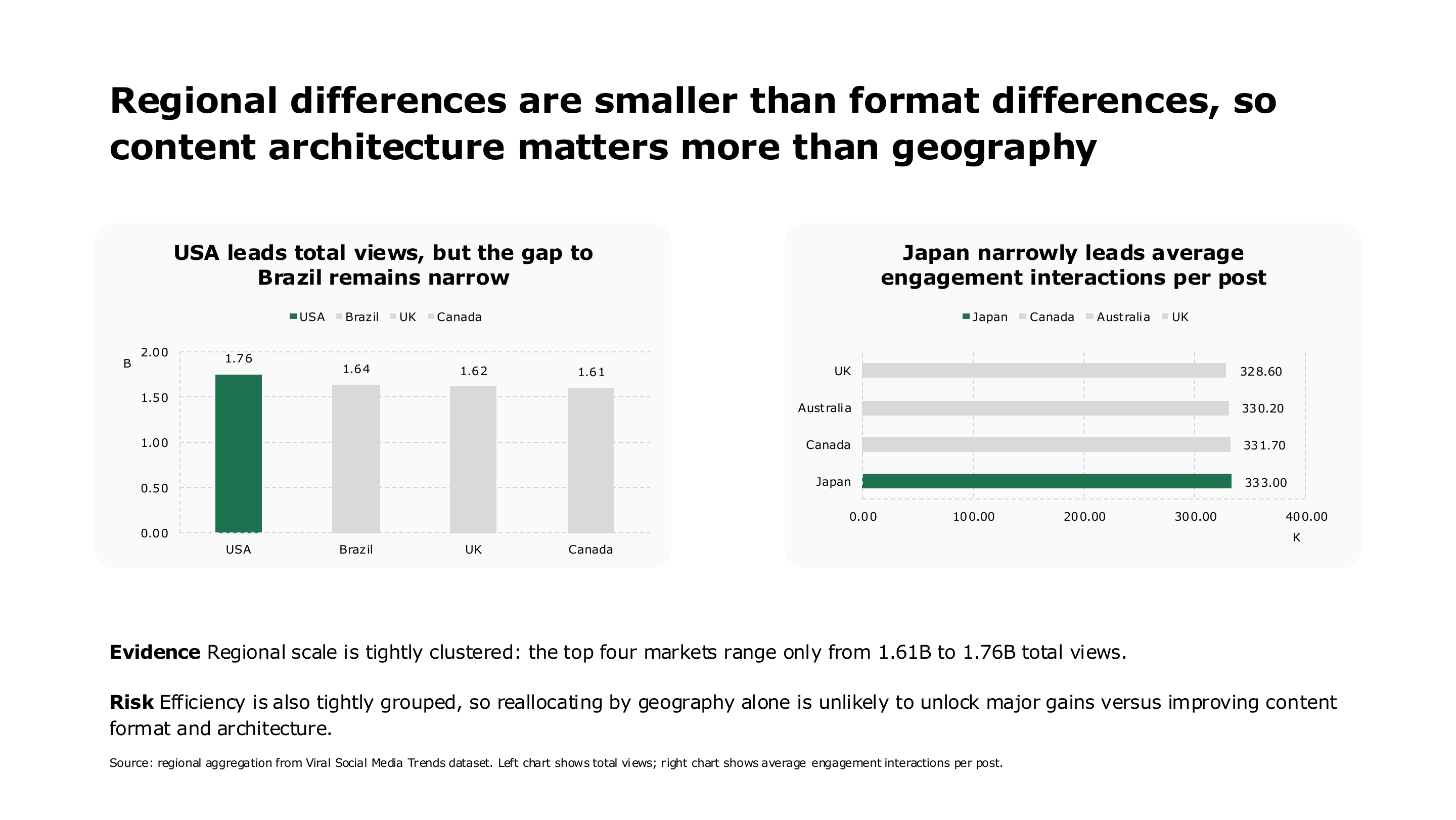
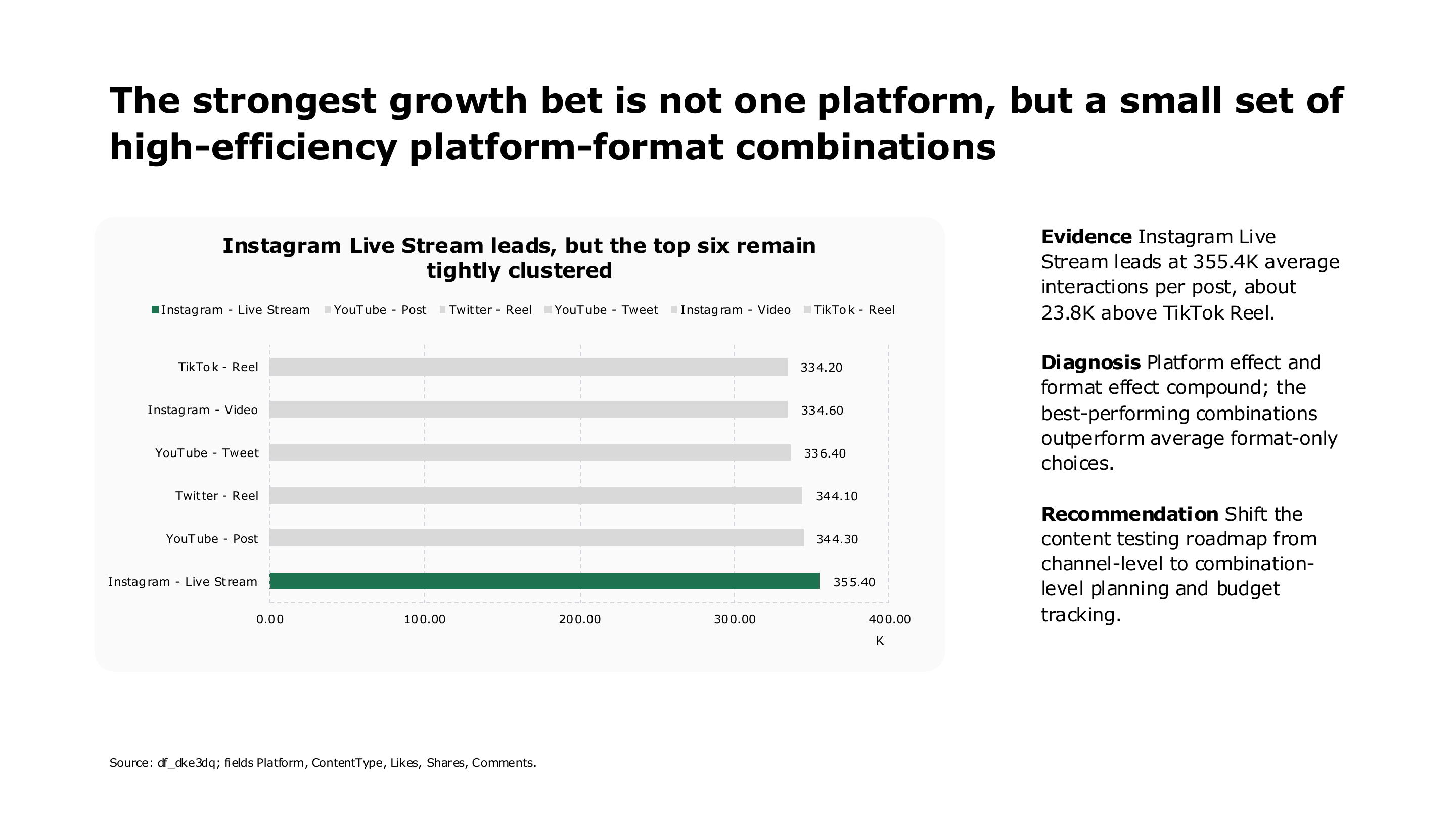
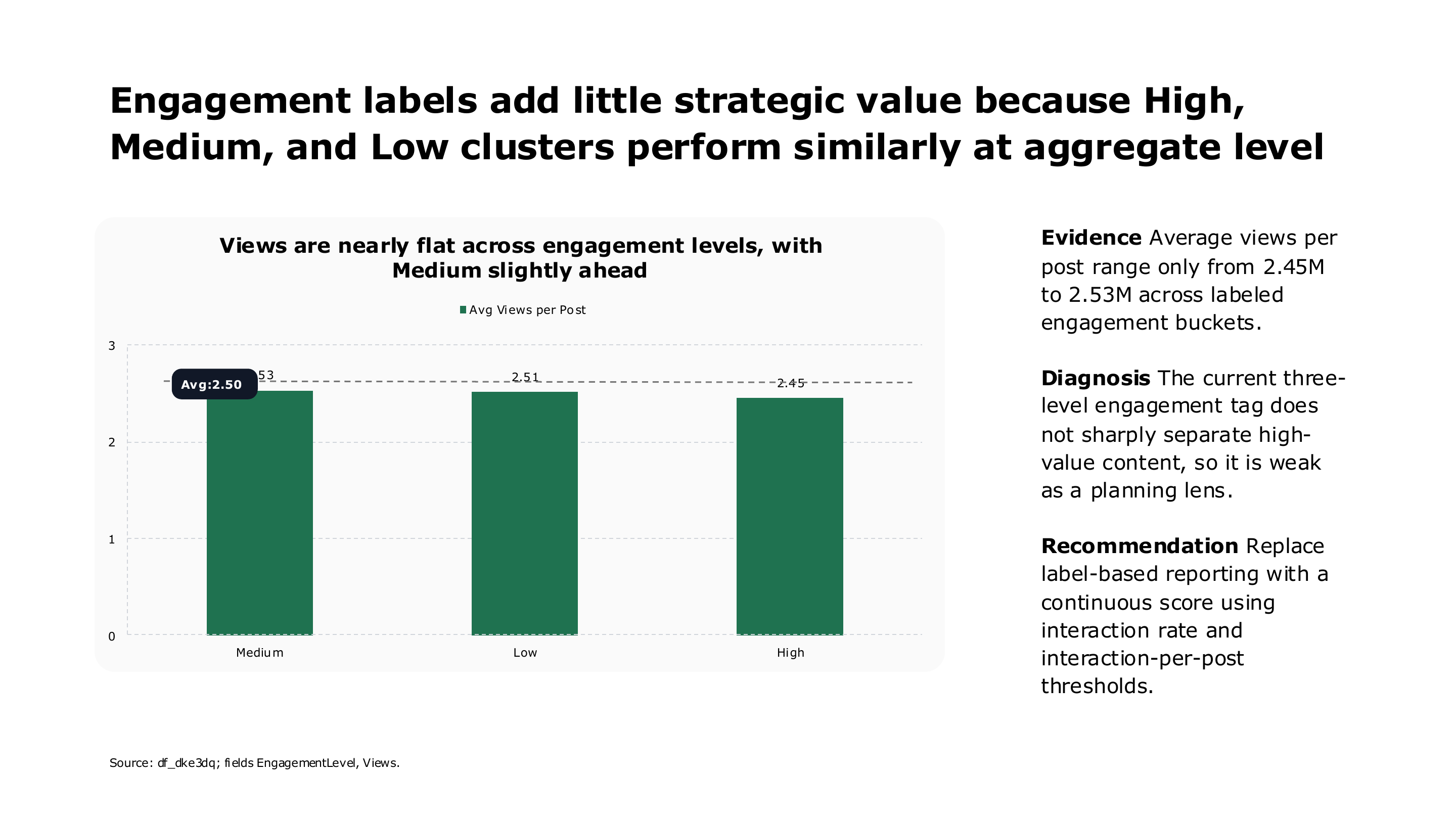
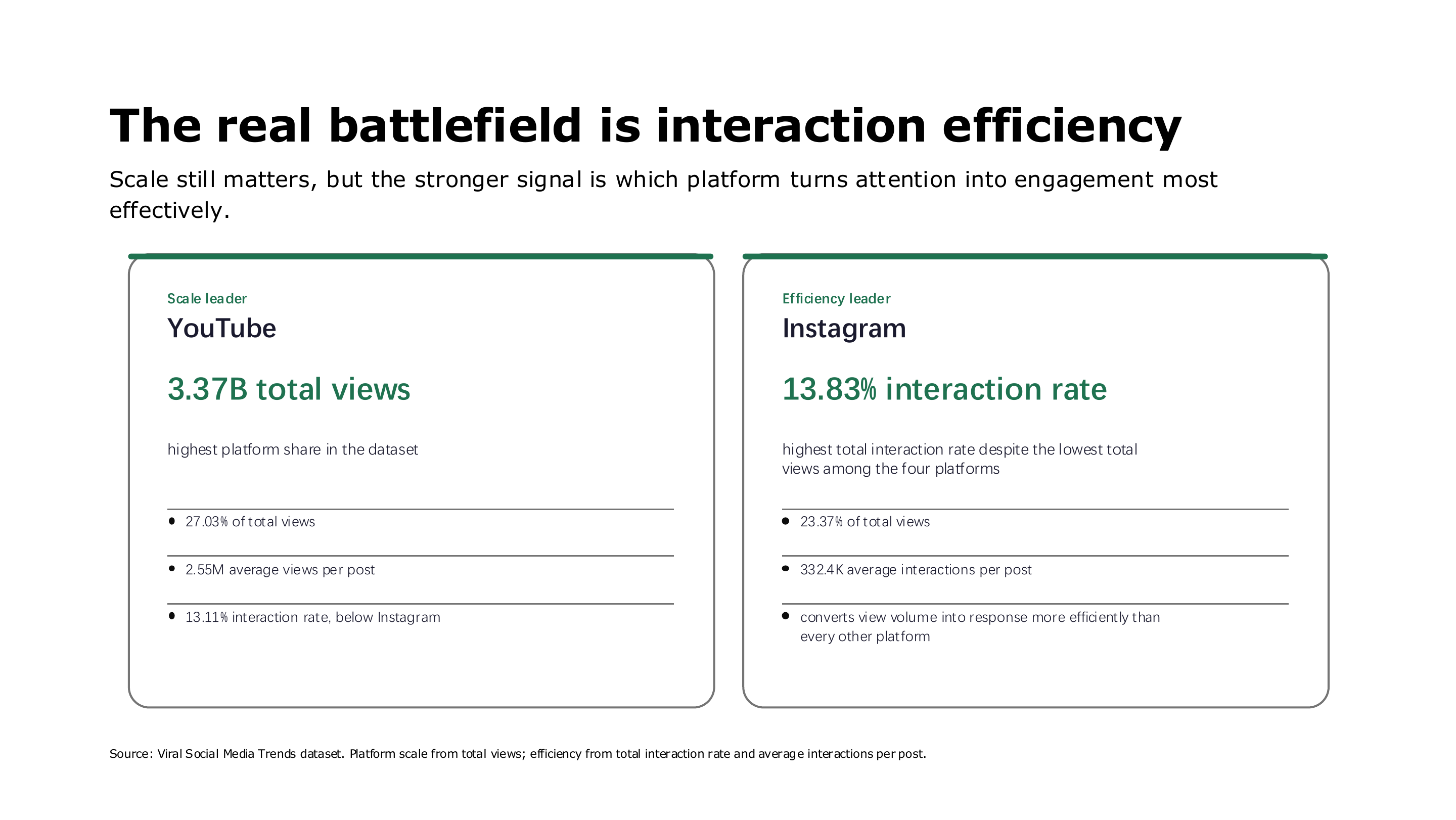
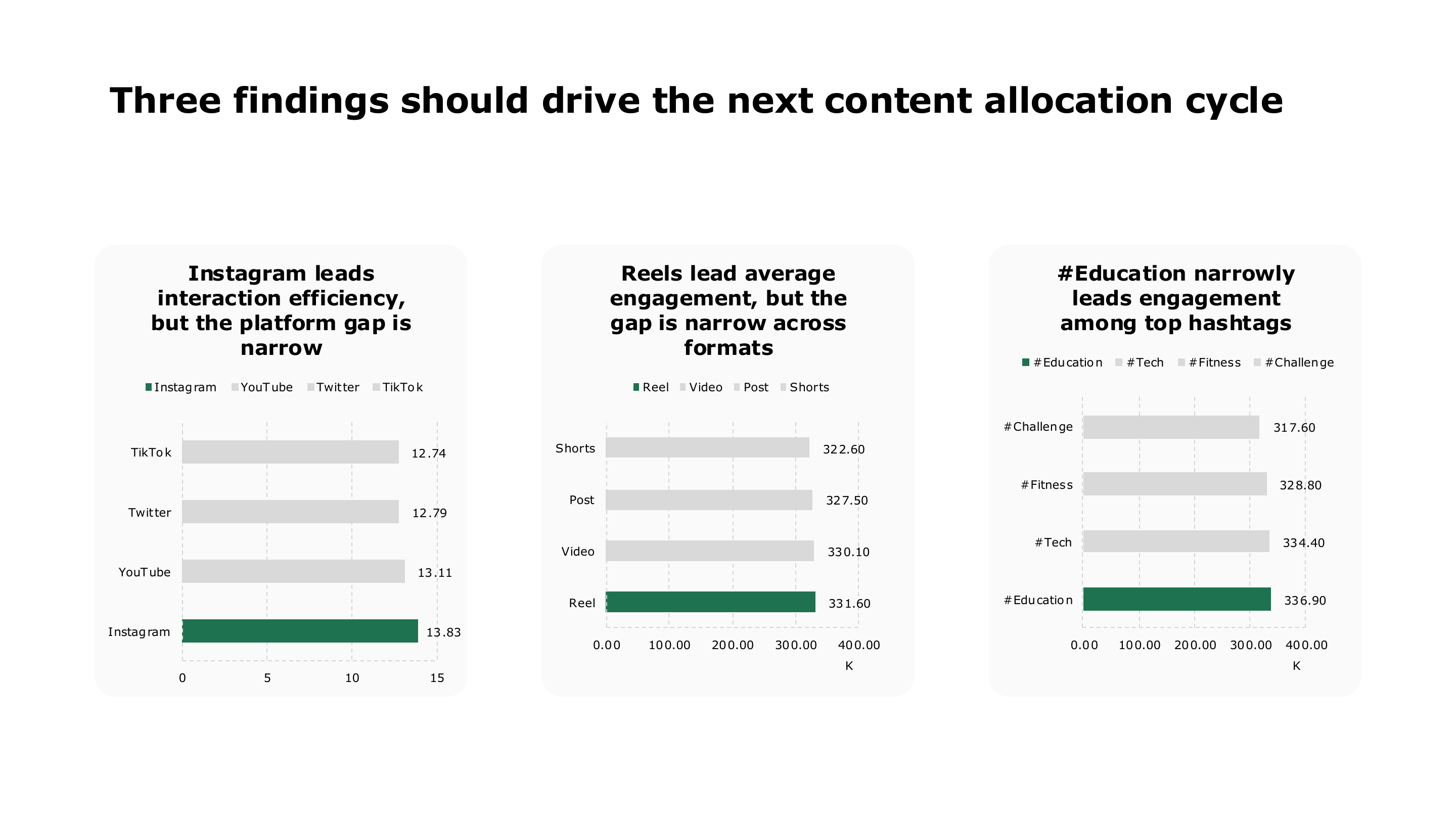
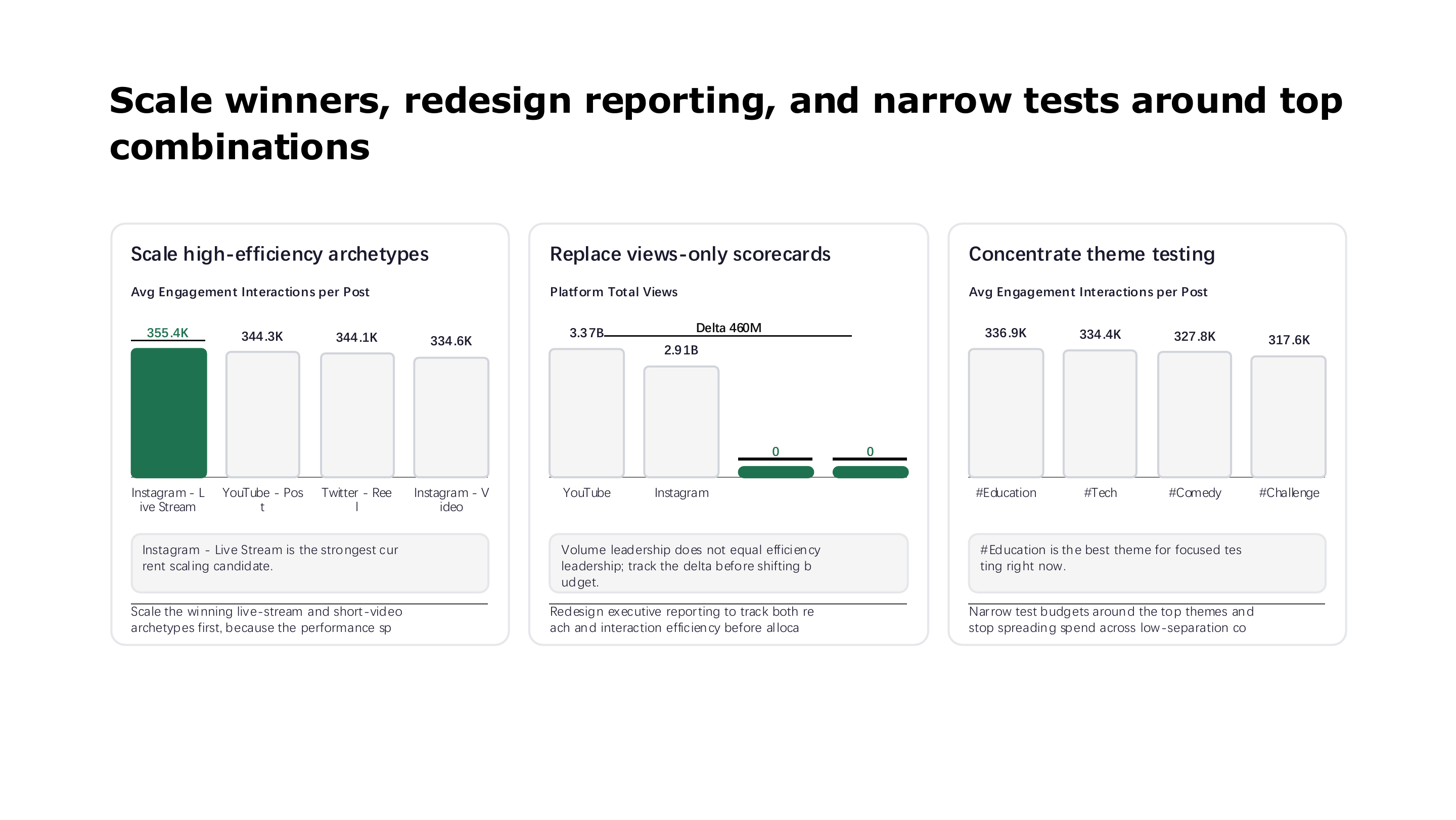
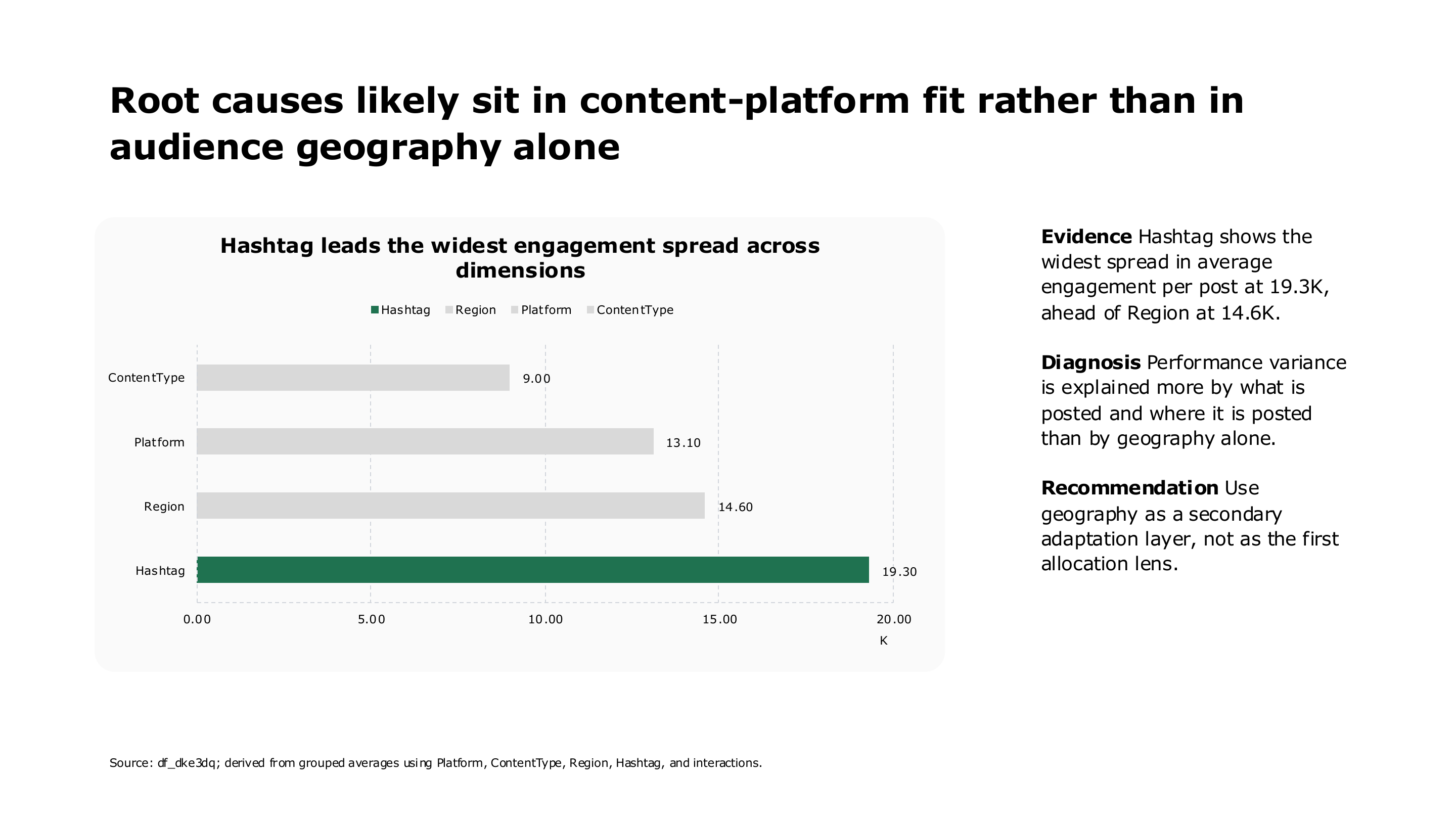
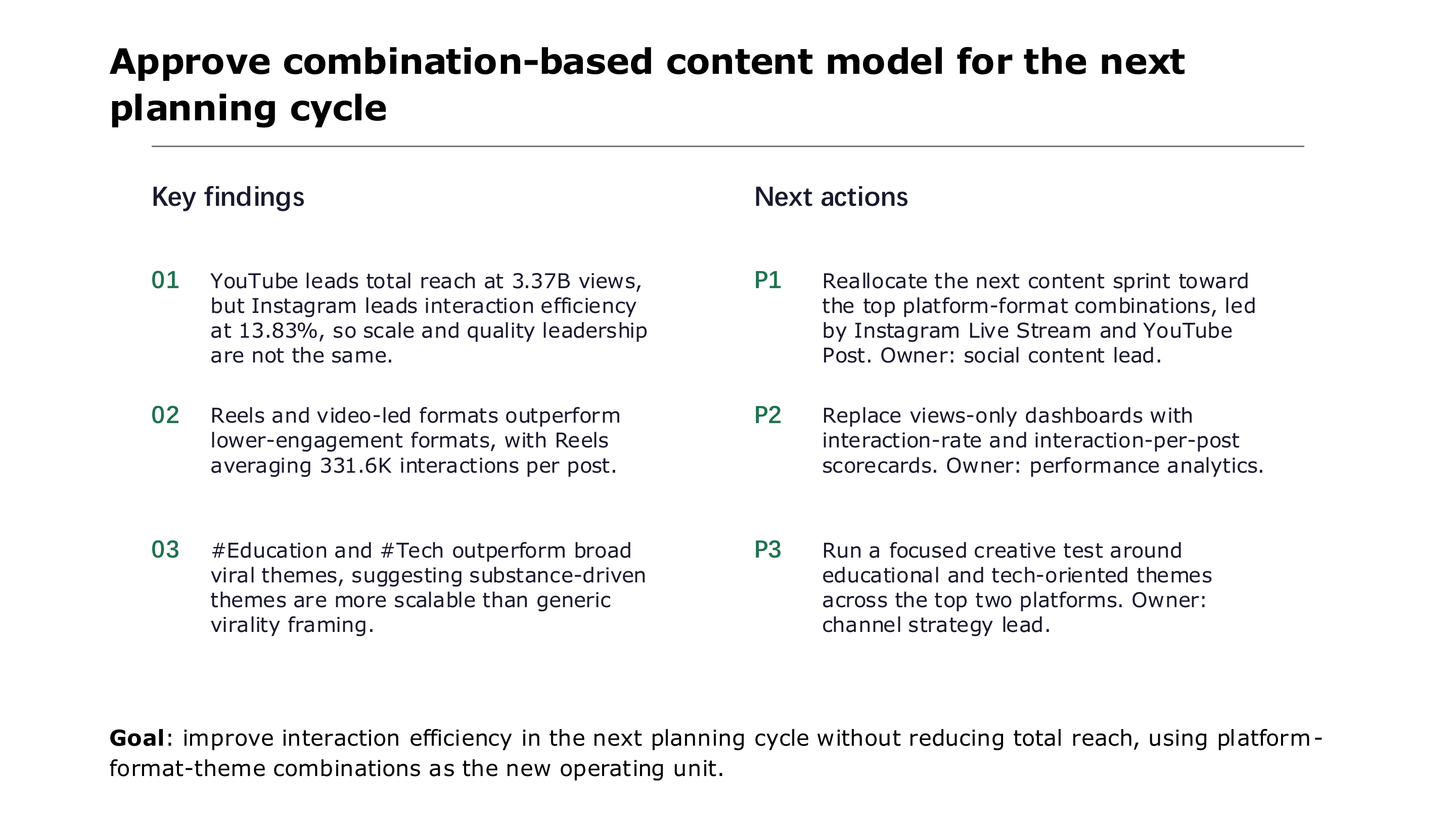
Viral Social Media Performance Review
Swipe through all 16 pages of this AI-generated social media performance data report.

表計算からプレゼンテーションへ
AIデータプレゼンテーション
ExcelやCSVから、グラフ、経営者向け要約、インサイト、提案を含むプレゼンテーションを作成します。
さらに広がる分析方法
手元にあるものから始められます。
画像、質問、表計算を、ワークフローを作り直さず明確な答えに変換します。