Turn campaign data into client-ready marketing reports.
AI does it in 10 minutes.
What used to take your team 2–3 days of pulling data, building charts, and writing slides — AI turns into a 20+ page presentation-ready report from one Excel upload.
The difference
Your Monday morning, before and after.
Every marketer knows the feeling. Here's what changes.
How it works
Three steps. That's the whole process.
No setup, no training, no complex configuration. If you can upload a file, you can use ExcelDashboard AI.
Upload your data
Drop in any Excel or CSV file — campaign data, ad spend, channel performance. Supports up to 500,000 rows. AI reads any format.
Excel · CSV · Any layoutAI builds the report
AI automatically identifies your metrics, finds the key insights, writes the analysis, and assembles a McKinsey-level marketing report.
5–10 minutes · 20+ pagesAI refine — then export
Not happy with a chart or a section? Just tell AI what to change. AI rewrites, redesigns, and updates the report instantly — no manual editing, ever. Then export a delivery-ready file.
PPT · Word · Excel · All charts editableExample instructions
Then export — ready to deliver
Marketing use cases
Whatever report you need to write, AI writes it.
Select your situation.
Weekly campaign report in minutes, not hours
"I have to send a campaign performance update every Monday. It takes me 3 hours and I'm always rushing before the 10am meeting."
- ✓Upload your campaign Excel — Google Ads, Meta, any format
- ✓AI identifies all campaigns, metrics, and date ranges automatically
- ✓Generates executive summary with key wins and risks
- ✓Channel-by-channel breakdown with charts and trend lines
- ✓AI writes the recommendations section for you
- ✓Ready-to-present PPT — edit any slide before sending
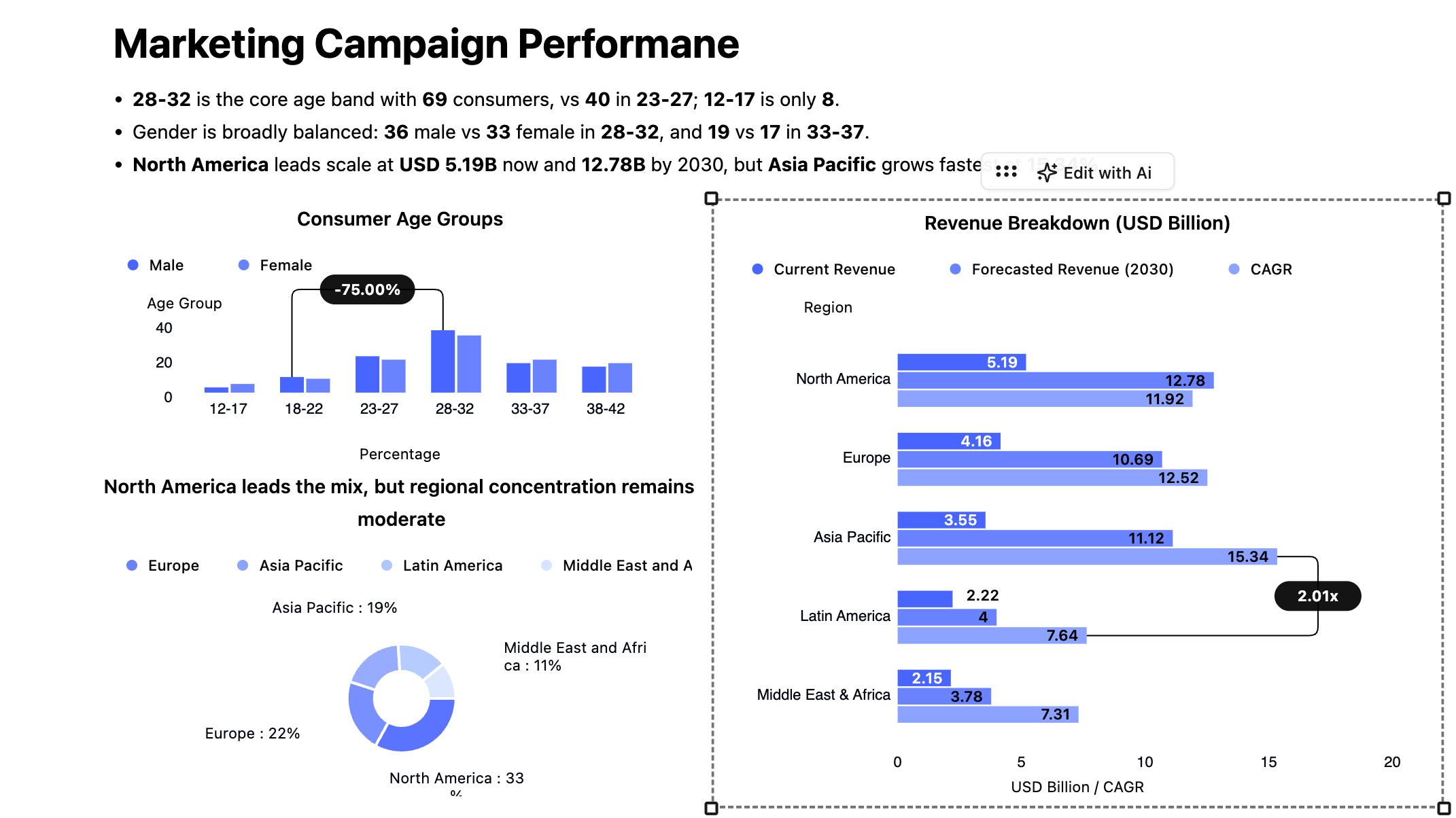
From marketers
Real people. Real time saved.
My Monday morning campaign report used to take 3 hours. Now I upload the file, get coffee, and the report is ready when I get back. My CMO thinks I've leveled up.
I asked the AI "which campaign had the best CPA last month?" and got the answer with a chart instantly. No pivot tables, no formulas. That was the moment I was sold.
We do monthly reports for 14 clients. ExcelDashboard AI cut that from 2 days to 2 hours. The editable PPT export is the killer feature — we still polish before sending, but the hard work is done.
Get started free
Your next report shouldn't take half your day.
Upload your first Excel file and have a professional report ready in 5–10 minutes. No credit card. No setup. 200,000+ professionals already use it.